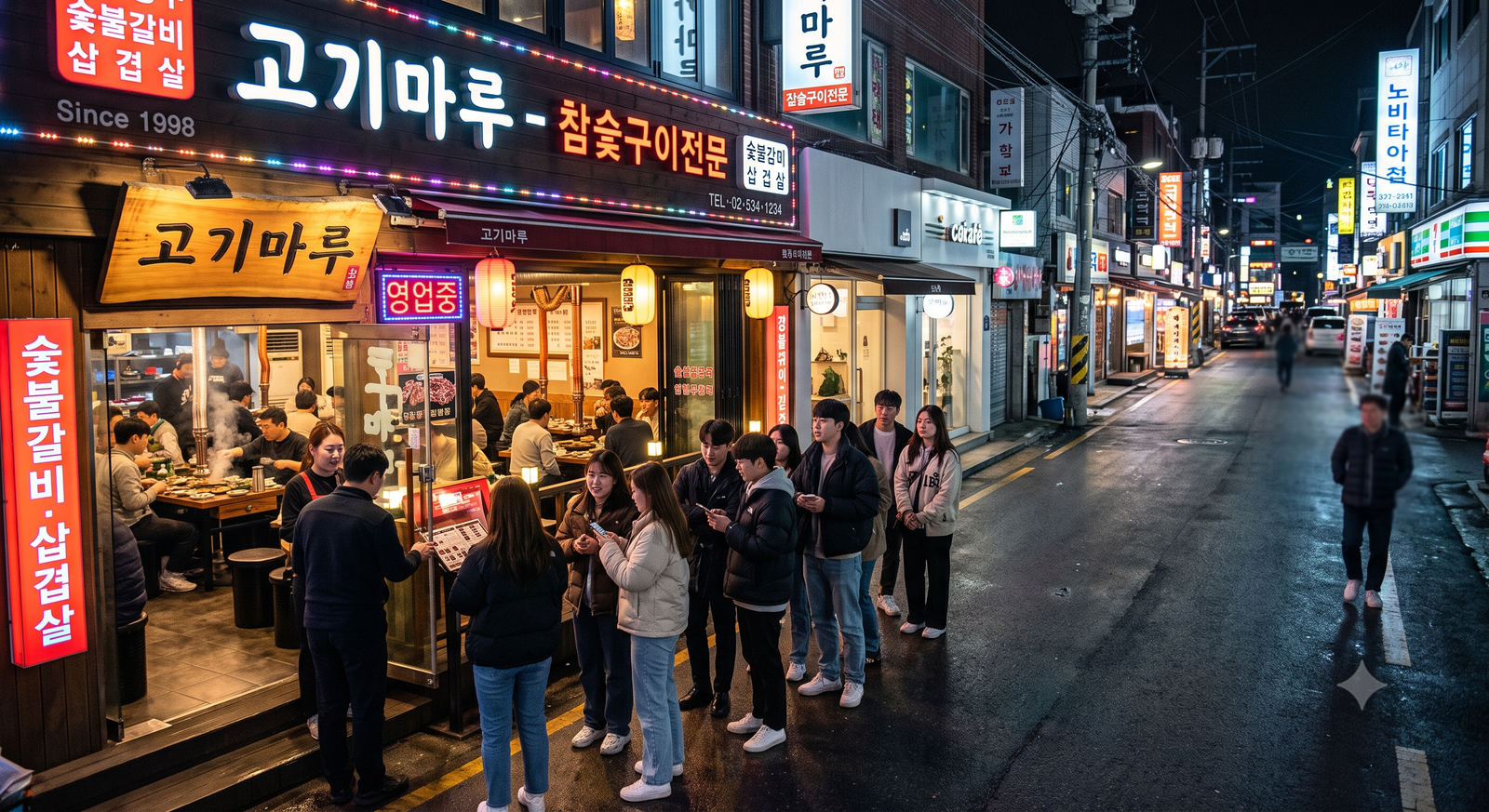
You land in Seoul, head straight to famous restaurant in Sungsu or Hongdae, and find a touchscreen tablet at the door blocking entry. The screen asks for one thing: a 010-XXXX-XXXX Korean phone number to receive a KakaoTalk waitlist alert.
For years, this has been a frustration for international tourists in South Korea.
The good news is that you do not need a Korean resident number to get a table. Here is the complete step-by-step guide to using Catch Table Global and handling on-site waiting kiosks without a Korean SIM.
1. Catch Table Domestic vs. Catch Table Global
Catch Table operates two distinct platforms:
Domestic Catch Table App: Requires identity verification through a domestic Korean mobile carrier (SKT/KT/LG U+) and local Korean payment methods.
Catch Table Global (English App): Specifically built for international travelers. It lets you sign up using a Google or Apple account, accepts foreign credit cards for deposits (Visa, Mastercard, AMEX), and sends confirmation and waitlist updates directly to your email and app notifications.
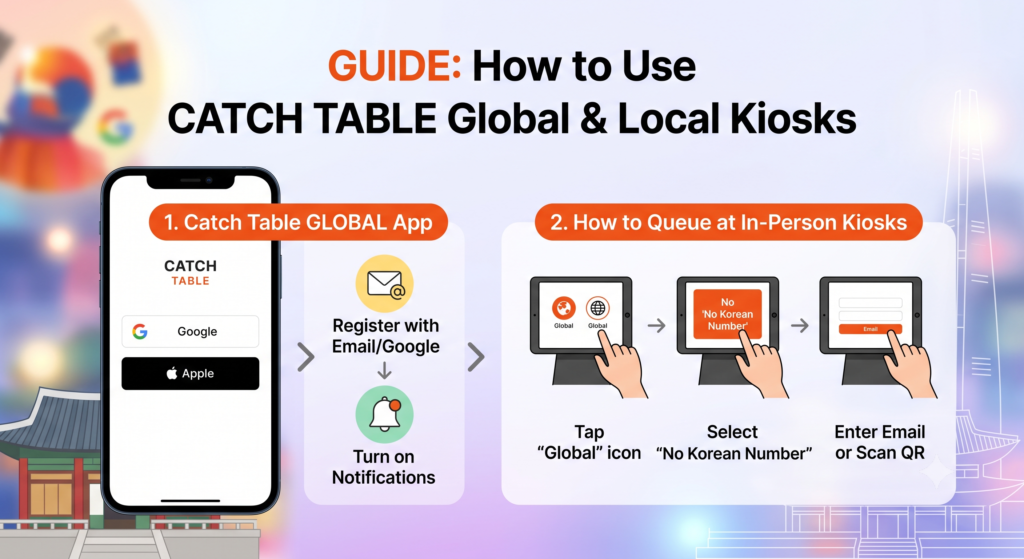
How to Set Up Catch Table Global:
Search your phone’s app store for “Catch Table Global” (ensure it has the English/Global title).
Create an account by tapping “Continue with Apple” or “Continue with Google”.
Turn on Push Notifications so you do not miss when your table is ready.
How to Join Remote Waitlists from Your Phone
How to reserve a restaurant remotely using Catch Table Global:
Open the Catch Table Global app and search for the restaurant.
If the restaurant has active remote queuing, tap the “Join Remote Waitlist” button.
Select your party size.
Monitor your real-time queue position in the app while shopping nearby.
2. How to Queue at In-Person Waiting Kiosks At the Door
When you walk up to a physical iPad stand outside a busy restaurant, follow these steps:
Step 1: Look at the top-right corner of the tablet screen.
Step 2: Tap the “English” or “Global” (globe) icon.
Step 3: Look for a button that says “No Korean Number” or “Foreigner / Email”.
Step 4: Enter your email address or scan the QR code using Catch Table Global.
Step 5: Take a photo of your waiting ticket number on the screen.
What to Do If the Tablet Only Accepts Korean Numbers
Some smaller neighborhood shops have not updated their tablet software to the global firmware. If the screen refuses to accept anything other than a 010 number:
Show the host/staff this Korean phrase: “외국인인데 번호가 없어서요. 등록 도와주실 수 있나요?” (Pronunciation: “Oegukin-inde beonho-ga eop-seoseo-yo. Deung-nok dowa-jusil su innayo?”) (Meaning: I am a foreigner without a local number. Could you help me register?)
In most cases, the staff will manually enter their internal store phone number and write down your name, telling you to wait nearby.
3. The Real Fix: Get an eSIM with an Incoming Korean Phone Number
While email alerts work on Catch Table Global, other popular Korean services (like Tableing, Kakao Taxi, and food delivery) still demand an actual Korean phone number.
If you want zero friction during your trip, do not buy a data-only travel eSIM. Instead, pick up an eSIM that includes an incoming 010 phone number.
Why it matters: You get unlimited high-speed data plus an active 010 number to receive free incoming SMS and KakaoTalk verification texts.
Another common queuing system in Korea is Tableing. Unlike Catch Table, Tableing does not currently have a full standalone English global app for foreign credit cards.
If a restaurant strictly uses Tableing, you must have a Korean phone number (via your local travel eSIM) to input at the door tablet.
When the tablet prompts for your number, type in the 010 number assigned to your tourist eSIM to get the real-time KakaoTalk queue ping.
Quick Checklist Before You Dine
Download Catch Table Global before landing in Korea.
Use Google or Apple login instead of phone verification.
For reservation deposits, use a zero-foreign-transaction-fee credit card.
Disclaimer: This guide contains affiliate links. If you purchase an eSIM or tour through these links, I may earn a small commission at no additional cost to you.